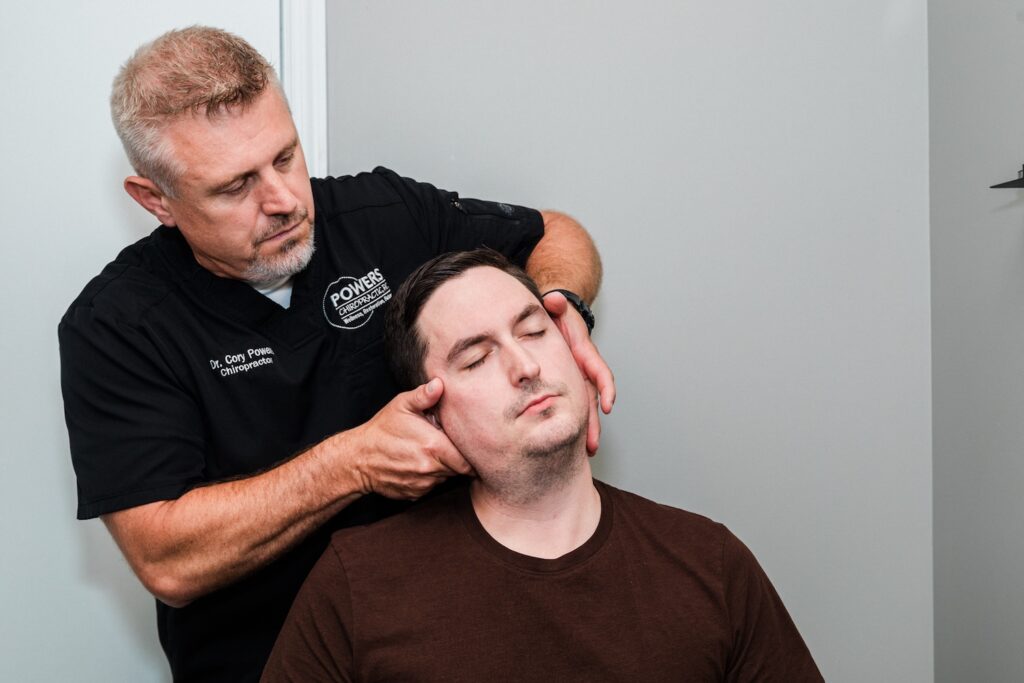

As a local chiropractor, I often see patients who spend long hours at a desk and start to experience discomfort. It’s important to understand that poor posture can lead to a variety of health issues, including back pain and reduced concentration. The good news is that there are practical solutions to enhance your workspace and improve your overall well-being.
By making a few simple adjustments to your setup and daily habits, you can significantly transform your posture and, in turn, your work experience. Let’s take a look at some essential tips that can help you maintain a healthier posture while you work, ultimately supporting your body’s natural healing processes. Remember, small changes can lead to significant improvements in your comfort and productivity.
Adjust Your Chair for Optimal Support
As a chiropractor, I want to emphasize the importance of adjusting your chair for optimal support, not just for comfort but also for your overall well-being and productivity. Proper chair alignment can significantly impact your spinal health, which in turn affects how you feel and function throughout your day.
First, ensure that your feet are flat on the floor, with your knees bent at a 90-degree angle. If your chair is too high, consider using a footrest to ensure your feet remain supported. This positioning helps maintain proper alignment of your spine and reduces unnecessary strain on your lower back.
Next, pay attention to the backrest of your chair. It should conform to the natural curve of your lower back, providing crucial lumbar support. This simple adjustment can alleviate tension and fatigue, especially during prolonged periods of sitting.
Don’t overlook the armrests; they should be set at a height that allows your shoulders to relax while keeping your forearms parallel to your desk. If they’re too high or low, make the necessary adjustments to prevent shoulder strain.
Lastly, ensure your chair allows you to sit close to your desk. This proximity minimizes the tendency to lean forward, which can lead to poor posture and discomfort.
By following these straightforward guidelines, you’re not only promoting a healthier workspace but also taking proactive measures to support your spine and overall health.
Position Your Monitor at Eye Level
To foster optimal posture and alleviate eye strain, it’s essential to position your monitor at eye level. As a chiropractor, I often emphasize how small adjustments in your workspace can lead to significant improvements in your overall well-being, especially during those long hours spent sitting at a desk.
Here’s how to create that perfect setup for your monitor:
- Adjust the height: Consider using a monitor stand or even stacking some books to elevate your monitor. The goal is to have the top of the screen align with or be just slightly below your eye level to keep your neck and spine in a neutral position.
- Check the distance: Aim to sit about an arm’s length away from the screen. This distance not only promotes comfort but also helps reduce strain on your eyes, allowing for a more relaxed viewing experience.
- Tilt the screen: A slight backward tilt of your monitor (around 10 to 20 degrees) can help minimize glare and support a natural line of sight, which is crucial for maintaining good posture and reducing tension in your neck and shoulders.
- Minimize distractions: Keeping your screen clean and free from clutter can significantly enhance your focus and reduce eye fatigue. A clear workspace contributes to a more productive and less stressful environment.
By implementing these simple strategies, you can create a healthier workspace that supports your spine and overall health.
Keep Your Feet Flat on the Ground
As a local chiropractor, I want to emphasize that proper monitor placement is just one part of maintaining good posture at your desk. An equally important aspect is ensuring your feet are flat on the ground. When your feet are firmly planted on the floor, it helps align your hips and spine, which can significantly reduce strain on your lower back.
If you find that your chair is too high, I recommend considering a footrest to provide the necessary support. This will prevent your legs from dangling, which can lead to discomfort over time.
Additionally, adjusting your chair height so that your knees are at or slightly below hip level is crucial for promoting better circulation and reducing fatigue. I encourage you to position your feet shoulder-width apart for optimal stability.
It’s also essential to avoid crossing your legs, as this can disrupt your body’s alignment. By prioritizing a flat foot position, you aren’t only enhancing your comfort but also creating a healthier work environment.
Making this small adjustment can lead to significant benefits for your overall well-being!
Use a Keyboard and Mouse That Promote Good Posture
As a local chiropractor, I want to emphasize the importance of using a keyboard and mouse that support good posture for your comfort and overall health while working at a desk.
Choosing the right tools can significantly reduce strain on your body, improve your alignment, and help you manage long hours of desk work more effectively.
Here are four essential tips to consider when selecting your keyboard and mouse:
- Ergonomic Keyboard: Opt for a keyboard that’s split or curved. This design helps maintain a natural wrist position, which is crucial for preventing discomfort and injuries over time.
- Vertical Mouse: A vertical mouse allows your hand to rest in a more natural position, which can greatly reduce wrist strain and minimize the risk of developing repetitive strain injuries.
- Wrist Support: Incorporating a wrist rest can provide additional support for your wrists while typing or using the mouse, helping to alleviate pressure and promote better posture.
- Adjustable Height: Ensure that your keyboard and mouse are set at a height that keeps your arms parallel to the ground or slightly declined. This adjustment is vital for maintaining proper alignment and reducing tension in your neck and shoulders.
Investing in ergonomic equipment is a step towards improving your desk posture and enhancing your overall well-being.
If you have any concerns or experience discomfort, don’t hesitate to reach out for guidance on how to create a healthier workspace. Your body will thank you!
Take Regular Breaks to Stretch and Move
As a local chiropractor, I want to emphasize the importance of taking regular breaks to stretch and move throughout your day. Many people feel the urge to power through long hours at their desks, but this can lead to stiffness and discomfort, which negatively impacts your posture and overall productivity.
I encourage you to set a timer to remind yourself to stand up and move every hour. Use these breaks to walk around your office or engage in some simple stretches. Incorporating neck rolls, shoulder shrugs, and wrist stretches can significantly relieve built-up tension in your muscles.
These quick movements not only boost circulation but also help clear your mind, making it easier to focus on your tasks when you return. Don’t underestimate the benefits of a short walk—just five to ten minutes can do wonders for your physical health and mental clarity.
By prioritizing these breaks, you’re not just improving your posture; you’re also enhancing your overall energy and efficiency throughout the day.
Practice Deep Breathing Techniques
As a local chiropractor dedicated to promoting natural healing and wellness, I want to share how incorporating deep breathing techniques into your daily routine can significantly improve your posture and overall health.
Many of my patients find that when they take a moment to breathe deeply, especially while working at a desk, it helps alleviate tension and brings clarity to their minds.
Here’s a simple guide to practicing deep breathing effectively:
- Find a comfortable position: Sit up straight in your chair, ensuring your feet are flat on the ground to support your spine.
- Inhale deeply: Take a slow, deep breath in through your nose, allowing your lungs to fill completely while you feel your abdomen expand. This promotes proper oxygen flow and supports your body’s natural healing processes.
- Hold briefly: Pause for a moment, letting the oxygen energize and revitalize your body, preparing it for the next step.
- Exhale slowly: Release your breath gently through your mouth, allowing any stress or discomfort to dissipate. This helps to relieve tension in your muscles and promotes a sense of calm.
Make it a habit to repeat this cycle several times throughout your day.
By integrating these deep breathing techniques, not only will you improve your posture, but you’ll also foster a more serene and efficient workspace.
Consider Ergonomic Accessories for Added Comfort
As a local chiropractor, I want to share some valuable insights on how to enhance your workspace for better comfort and posture, which can significantly benefit your overall health.
After practicing deep breathing techniques to help center yourself, it’s essential to consider incorporating ergonomic accessories into your daily environment.
First, let’s talk about the importance of an adjustable chair. A chair that supports your lower back is crucial for maintaining proper spinal alignment. Look for one that allows you to adjust the height and armrests to fit your unique body shape and size. This simple change can alleviate tension and improve your posture while you work.
Next, I recommend investing in a sit-stand desk. This type of desk enables you to alternate between sitting and standing throughout the day, which can reduce strain on your back and promote better circulation. Movement is vital for spinal health, and having the option to change your position can make a significant difference.
Additionally, pay attention to your keyboard and mouse. Using devices that are designed to keep your wrists in a neutral position can prevent discomfort and potential injuries. It’s all about creating a setup that minimizes strain on your body.
Lastly, monitor stands are an often-overlooked component of an ergonomic workspace. Positioning your screen at eye level can help reduce neck strain and encourage a more natural posture.
By making these adjustments, you aren’t just enhancing your workspace; you’re also investing in your health and productivity.
Remember that the goal is to create a supportive environment that nurtures your body as you go about your day. If you have any questions or need further guidance on how to optimize your workspace for better health, feel free to reach out. Your well-being is our priority!
Conclusion
As a local chiropractor dedicated to promoting your overall well-being, I want to share some valuable insights on how you can enhance your posture and comfort while working at a desk. By implementing these seven strategies, you can significantly improve your alignment and reduce discomfort.
Start by adjusting your chair to support your lower back and ensure your feet are flat on the floor. Position your monitor at eye level to prevent straining your neck. Incorporating ergonomic accessories, such as a supportive keyboard and mouse, can also make a substantial difference in your daily comfort.
It’s important to remember to take regular breaks throughout your workday. Stand up, stretch, and practice deep breathing exercises to help keep your mind clear and your body relaxed. These small adjustments not only boost your productivity but also contribute to your overall health.
I encourage you to begin implementing these tips today for a more comfortable and healthier workspace. If you have any questions or would like to learn more about how chiropractic care can support your journey to better posture and wellness, please don’t hesitate to reach out!